Step-by-Step Architecture
From sign-up to a live website, step by step
No servers to configure, no SSH keys to manage, and no certificates to manually install. Here is exactly what happens when you use MakeMySite.
-
Start your free trial
Instant AccessSign up with your name, email address and a password. We send you an instant confirmation link; once verified, you can launch your first website immediately. The trial lasts 14 days, includes 1 website and requires zero payment details.
✓ No credit card • Full dashboard capabilities
-
Create your website in a few clicks
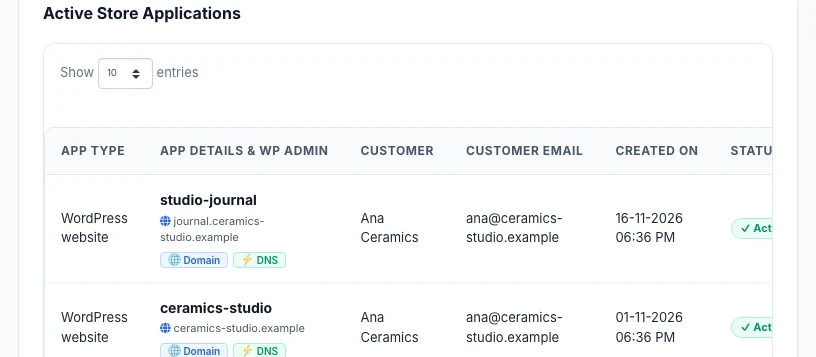
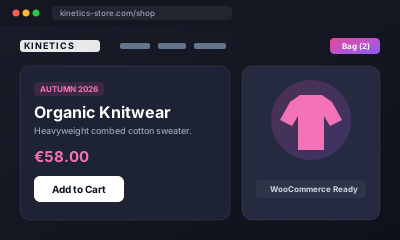
Automated ProvisioningChoose “Create website”, give it a name, and select a starting point—such as our ready-made WooCommerce ceramics store or a clean theme. Our backend orchestrates the PHP 8.2 environment, sets up a dedicated MariaDB database, and provisions a unique WordPress administrator account. Your dashboard displays real-time progress, and we email you as soon as setup completes (typically under 3 minutes).
✓ Cloudways cloud infrastructure • Dedicated MySQL database
-
Customize in WordPress
Full Administrative FreedomLog in to your WordPress admin console with your dedicated credentials. Build pages, add products, adjust styles, or install any theme or plugin from the global WordPress directory. You can also install vetted plugins from the MakeMySite AppStore in a single click.
✓ No proprietary code locks • 100% standard WordPress
-
Connect your custom domain
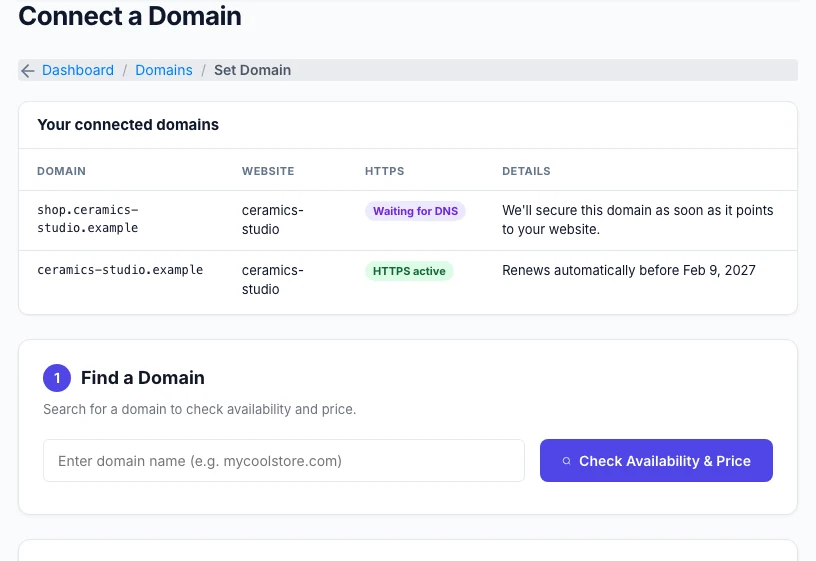
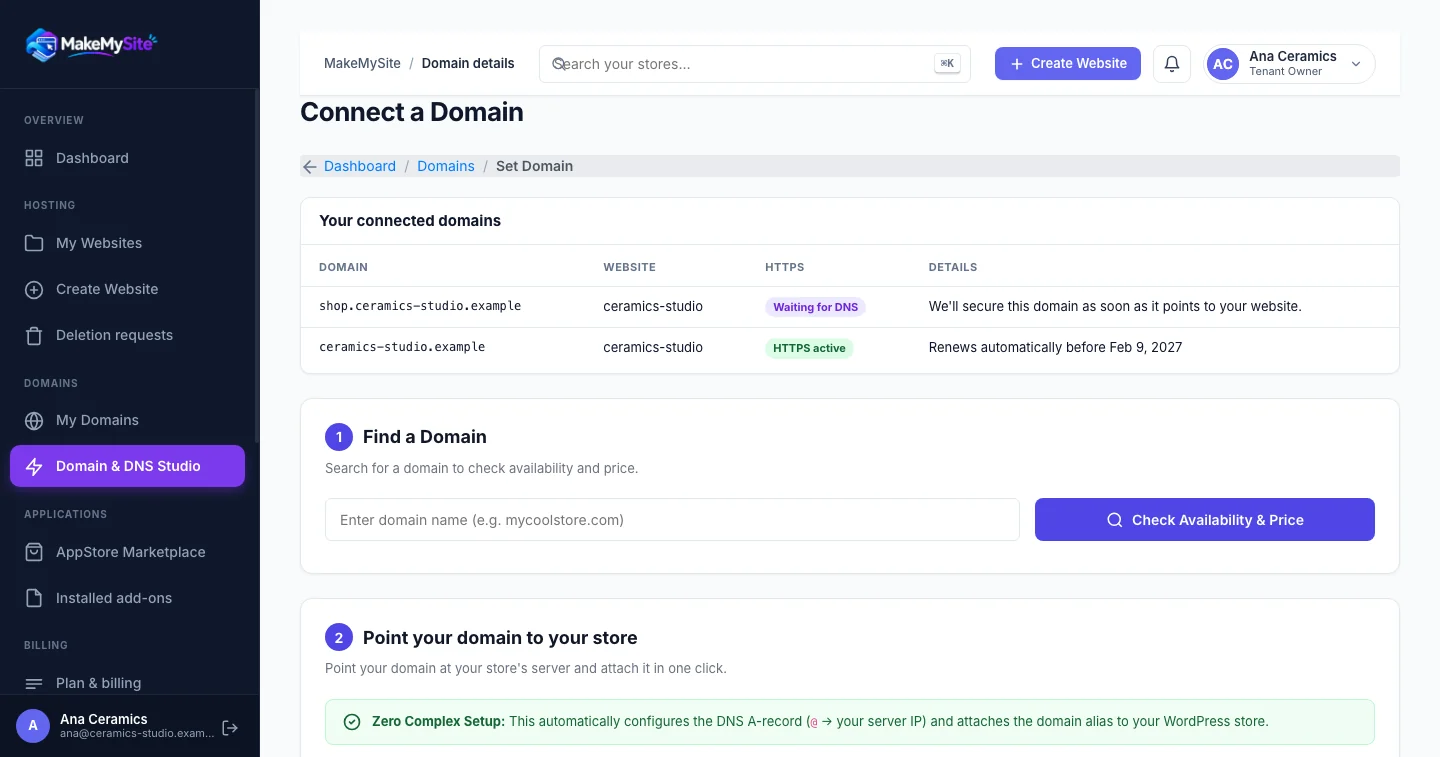
Automated DNS & HTTPSRegister a brand new domain directly through MakeMySite, or connect a domain you already own. When registering through us, all DNS records are pre-configured automatically. If bringing an existing domain, add the specified DNS record; our system verifies propagation and automatically issues a free Let's Encrypt TLS certificate.
✓ Automated Let’s Encrypt renewal • Built-in DNS editor
-
Run everything from one unified dashboard
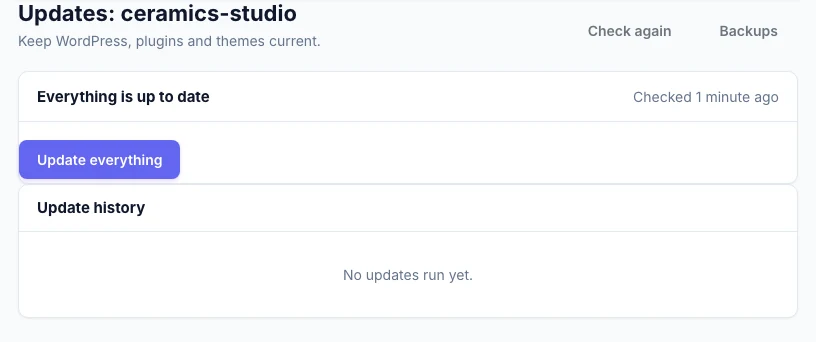
Proactive ManagementInstall WordPress core, plugin and theme updates in one click with automated post-update health verification. Run security scans to check file integrity against official WordPress checksums, monitor site uptime, invite team members, and open support tickets—all from one interface.
✓ One-click updates • File-integrity scans • RBAC team roles
-
Choose your plan when you’re ready
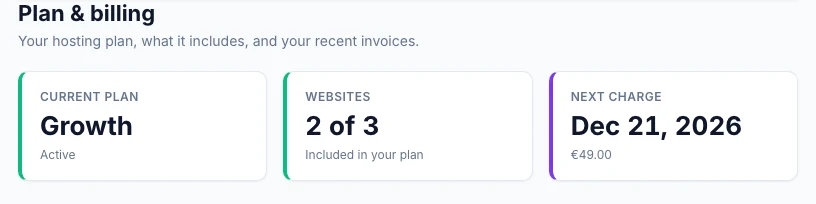
Flexible TermsBefore your trial ends, select the plan that fits the number of websites you operate. Billing is monthly and processed securely via Mollie. You can upgrade, downgrade or cancel anytime directly from your billing portal with no lock-in.
✓ Monthly billing • Mollie payment gateway • Cancel anytime
Behind the Scenes
What happens under the hood
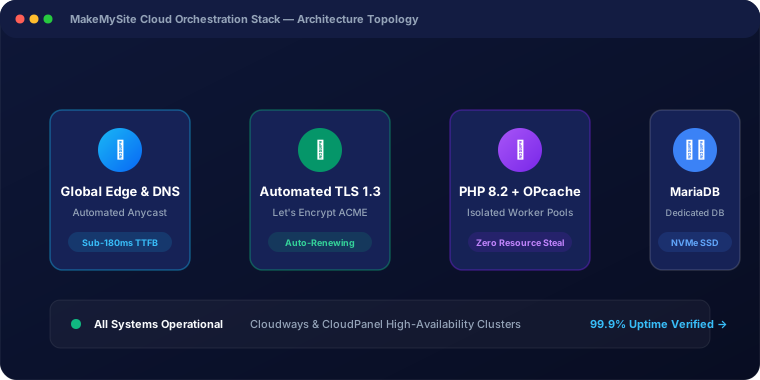
While you focus on building your brand, our automated infrastructure manages the complex server orchestration: Nginx reverse proxies, isolated PHP-FPM worker pools, MariaDB schemas, and automated Let's Encrypt ACME challenges.
Unified Dashboard
Full visibility from day one
Track your custom domains, monitor TLS 1.3 certificate expiration, manage WordPress updates, and open support tickets without ever touching SSH or a terminal.
Your website could be live today
Start your 14-day full-featured free trial. No payment details required; choose your plan whenever you're ready.